

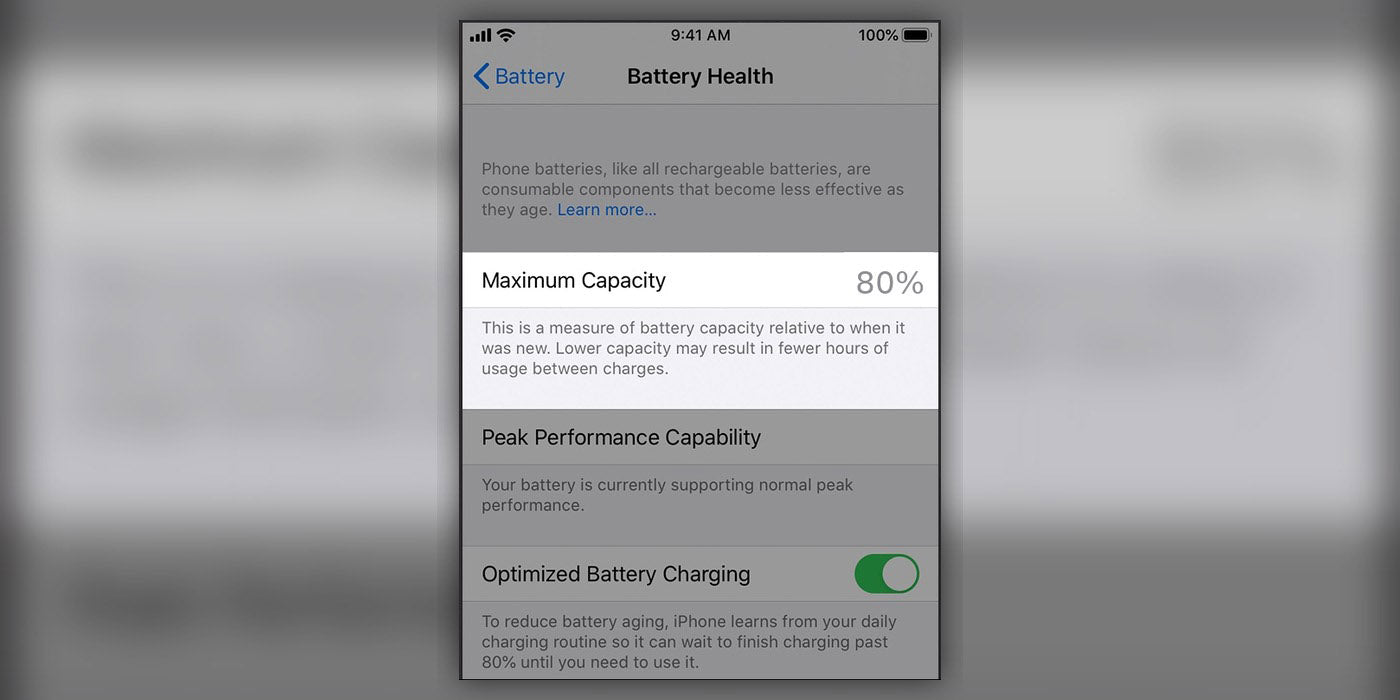
Most iPhone users eventually run into the same question: when battery health drops into the 80s, is it time to replace the battery or just keep using the phone as normal? Understanding the science behind your battery can save you from unexpected shutdowns and sluggish performance.
What iPhone Battery Health Really Means
Battery Health in Settings is an estimate of how much capacity your battery still has compared with when it was new, shown as a percentage. Apple designs iPhone batteries to retain up to about 80 percent of their original capacity after roughly 500 full charge cycles, which for many people is around two years of typical use.
A "cycle" is not one charge per day; it is adding up 100 percent of use over time. For example, using 50 percent one day and 50 percent the next counts as one cycle. This means a battery can feel worn out even if you rarely let it hit zero or fully charge from empty.
When You Should Replace Your Battery
Apple and independent guides commonly point to 80 percent as the practical replacement threshold. Once your battery health is at or below this level, you are more likely to see shorter runtime, performance management (throttling), and warning messages such as "Service" in your settings.
Even if your health is between 81 and 85 percent, a replacement is worth it if you notice these red flags:
- Your iPhone no longer reliably lasts a full day.
- The phone shuts down unexpectedly under moderate or heavy use.
- You experience sluggish performance, freezing, or app lag.
Habits That Really Affect Battery Life
Lithium-ion batteries age because of charge cycles, time, and heat. Research shows that high temperatures and deep discharges are particularly stressful for long-term health. To slow down the aging process, follow these realistic habits:
- Avoid the Red Zone: Try not to let the battery drop below 20 percent regularly.
- Beat the Heat: Avoid storing or using your phone in very hot environments like a car dashboard.
- Use Smart Charging: Keep Optimized Battery Charging turned on to slow the chemical aging of the battery during long plug-in sessions.
- Charge When Convenient: Partial charges are perfectly fine and do not harm lithium-ion technology.
Why a Professional Battery Replacement is Worth It
When a battery is worn, you lose both runtime and peak performance. In many cases, iOS will throttle your CPU to prevent the phone from dying, making a fast phone feel years older. A quality replacement restores stable performance and typically extends the usable life of the phone by years.
For anyone whose iPhone sits around or below 80 percent health, a professional battery replacement is typically the most effective and cost-efficient fix—far cheaper and more sustainable than buying a brand-new device.
Get Your iPhone Performance Back to 100%
Replacing your battery is the first step, but supporting your device with the right accessories ensures that the new battery lasts as long as possible. Poor quality cables and underpowered bricks can cause unnecessary heat, which is the leading cause of premature battery degradation.
We have curated a selection of high-efficiency chargers and certified cables designed to keep your battery cool and your charging speeds fast. Don't let a bad cable ruin your fresh battery.
🚀 Restore your iPhone's power today
Ready to stop carrying a power bank everywhere? Beyond a fresh battery, your iPhone deserves premium power accessories. Browse our MFi-certified fast chargers, durable Lightning and USB-C cables, and heat-dissipating cases. Not sure which charger is best for your specific iPhone model? Our expert team is ready to help. Shop iPhone chargers or shop protective cases now.

